ROS Basics in 5 days
Unit 4: Solutions

Index
Solution Exercise 4.2
¶For this exercise, we will assume that our package is called read_odometry, our launch file is called odom_subscriber.launch and our Python file is called odom_subscriber.py.
<launch>
    <node pkg="read_odometry" type="odom_subscriber.py" name="odom_sub_node" output="screen" />
</launch>
#! /usr/bin/env python

import rospy
from nav_msgs.msg import Odometry

def callback(msg):
  print(msg) #This will print the whole Odometry message
# print(msg.header) #This will print the header section of the Odometry message
# print(msg.pose) # #This will print the pose section of the Odometry message

rospy.init_node('odom_sub_node')
sub = rospy.Subscriber('/odom', Odometry, callback)
rospy.spin()
Summarizing, you need to take into account that the msg variable that is recevied by the callback function will contain the whole Odometry message. So, if you want to acces any specific value of the message, you will have to do it like it is shown in the comments inside the function.
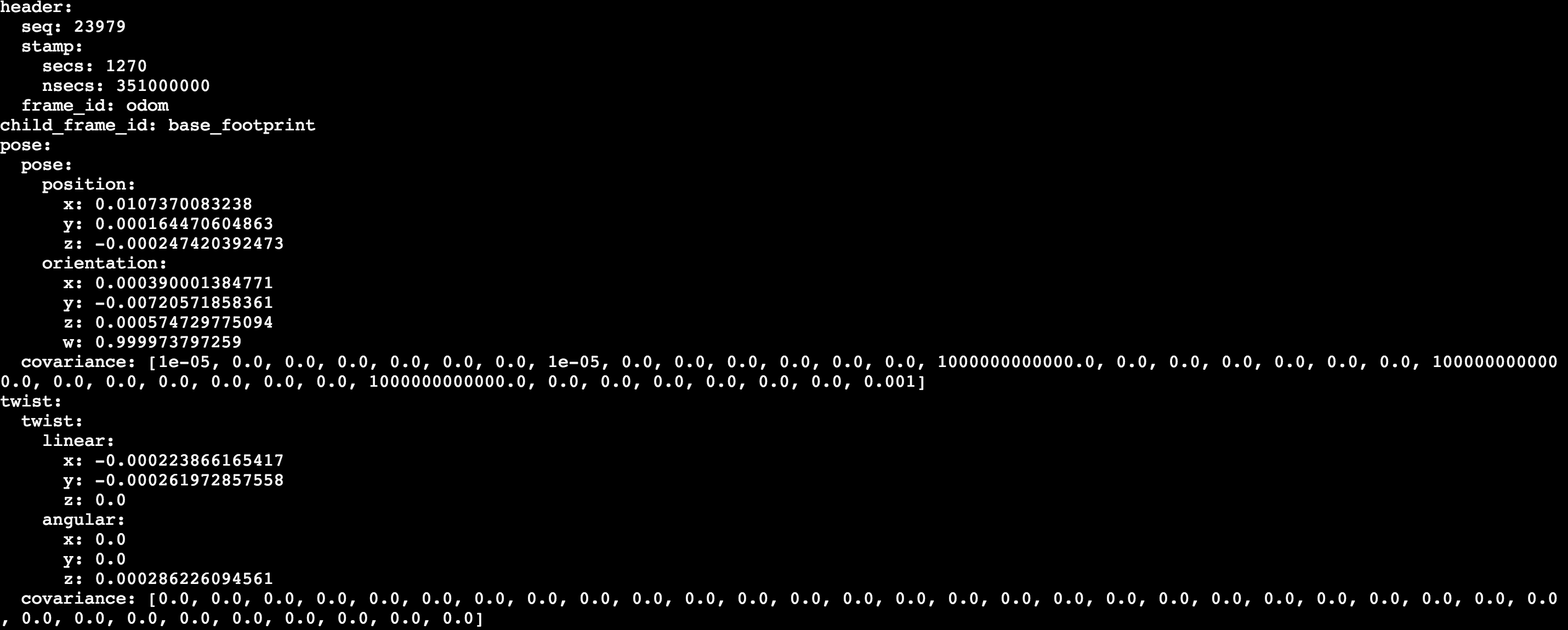
So, for instance, by printing the whole msg variable, you will get something like this:
print(msg)
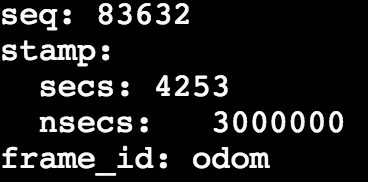
And by printing just the header section, you will get something like this:
print(msg.header)
Solution Exercise 4.3
¶For this exercise, we will assume that our package is called exercise_33, for future references
So, for the exercise 3.3, we will have to create a custom message that defines an age of the robot in years, months, and days. For that, the first you will have to do is to create a folder called msg inside the exercise_33 package.
roscd exercise_33
mkdir msg
Then, isnide this msg folder, you will have to create a file called Age.msg, with the following content inside it:
float32 years
float32 months
float32 days
Then, you will also have to modify the CMakeLists.txt and package.xml files, as it is described in the Topics Notebook. If you are lost and don't know how to proceed, below you can check working examples of this files:
cmake_minimum_required(VERSION 2.8.3)
project(exercise_33)

## Here go all the packages needed to COMPILE the messages of topic, services and actions.
## Its only geting its paths, and not really importing them to be used in the compilation.
## Its only for further functions in CMakeLists.txt to be able to find those packages.
## In package.xml you have to state them as build
find_package(catkin REQUIRED COMPONENTS
  std_msgs
  message_generation
)

## Generate topic messages in the 'msg' folder
## In this function will be placed all the topic messages files of this package ( in the msg folder ) to be compiled.
add_message_files(
  FILES
  Age.msg
)

## Here is where the packages needed for the topic messages compilation are imported.
generate_messages(
  DEPENDENCIES
  std_msgs
)

## State here all the packages that will be needed by someone that executes something from your package.
## All the packages stated here must be in the package.xml as exec_depend
catkin_package(
  CATKIN_DEPENDS rospy message_runtime
)

include_directories(
  ${catkin_INCLUDE_DIRS}
)
<?xml version="1.0"?>
<package format="2">
  <name>exercise_33</name>
  <version>0.0.0</version>
  <description>The topic_ex package</description>


  <maintainer email="user@todo.todo">user</maintainer>

  <license>TODO</license>

  <buildtool_depend>catkin</buildtool_depend>
  <build_depend>rospy</build_depend>
  <build_depend>std_msgs</build_depend>
  <build_depend>message_generation</build_depend>
  <build_export_depend>rospy</build_export_depend>
  <exec_depend>rospy</exec_depend>
  <build_export_depend>std_msgs</build_export_depend>
  <exec_depend>std_msgs</exec_depend>
  <build_export_depend>message_runtime</build_export_depend>
  <exec_depend>message_runtime</exec_depend>
  <export>

  </export>
</package>
Once all of these is done, you will need to compile your package and source ALL the webwhells that you are going to use so that ROS can find the new Messages.
roscd
cd ..
catkin_make
source devel/setup.bash
And finally, check if you can find your new message:
rosmsg list | grep Age
You should see something like this:
exercise_33/Age
Once this is done and working, all you have to do is to create Publisher that publishes this message into a topic. Below you can check both the launch file and the Python file:
<launch>
    <node pkg="exercise_33" type="publish_age.py" name="publish_age_node" output="screen" />
</launch>
#! /usr/bin/env python

import rospy
from exercise_33.msg import Age #Import Age message from the exercise_33 package

rospy.init_node('publish_age_node')
pub = rospy.Publisher('/age_info', Age, queue_size=1) #Create a Publisher that will publish in the /age_info topic
rate = rospy.Rate(2)
age = Age() #Create an Age message object
age.years = 5 #Fill the values of the message
age.months = 10 #Fill the values of the message
age.days = 21 #Fill the values of the message

while not rospy.is_shutdown():
  pub.publish(age) #Publish the message into the defined topic /age_info
  rate.sleep()
Finally, you can launch your Publisher:
roslaunch exercise_33 publish_age.launch
In order to check the published message, you will need to listen to the specified topic. Remember that you will need to source ALL the webshells where you will use or visualize the Age message.
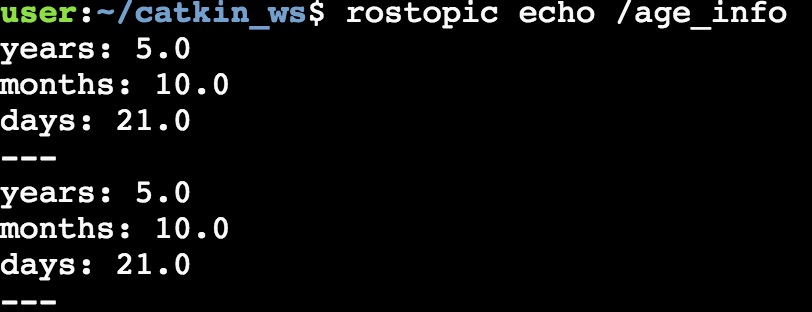
rostopic echo /age_info
You will get something like this: